
After you sign in, you see your projects. Select a project to open its metadata. The examples on this page use the test project Alice in DaSCHland.
The metadata is split into seven sections, listed on the left. Select a section to open it. A tick shows that all required fields of a section are filled in.
Click Save draft to keep your changes, and Submit for review when you are done. Both buttons stay at the bottom of the screen.
Overview
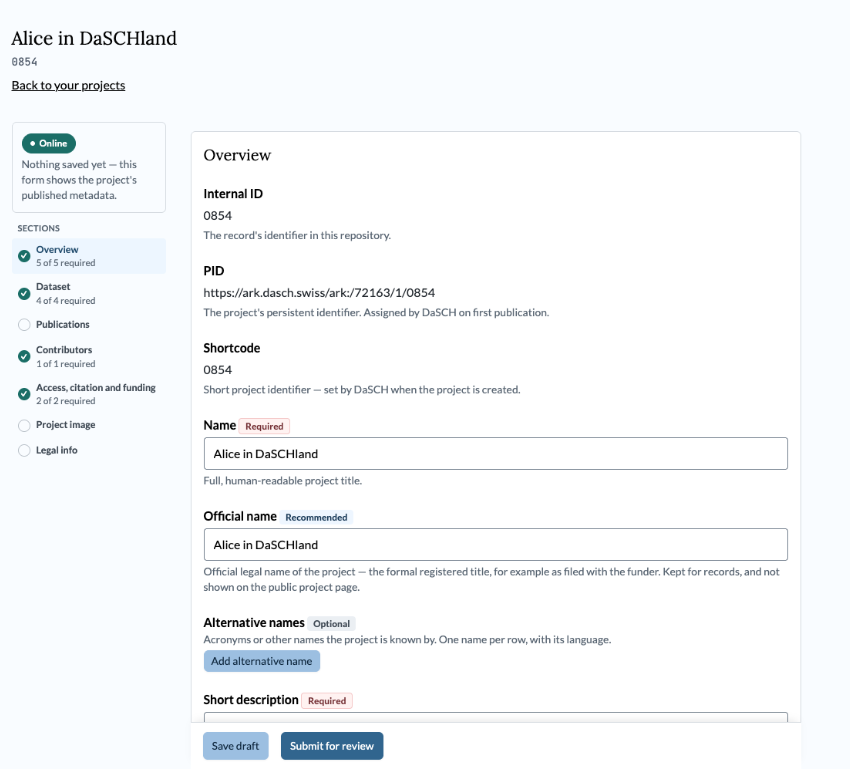
The Overview section, with the list of sections on the left.
Internal ID, PID and Shortcode are set by DaSCH and cannot be changed.
| Field | Label | What to enter |
|---|---|---|
| Name | Required | Full, human-readable project title |
| Official name | Recommended | The formal registered title, for example as filed with the funder. Not shown on the public project page |
| Alternative names | Optional | Acronyms or other names, one per row, with its language |
| Short description | Required | One-line teaser for cards and listings, up to 200 characters |
| Description | Required | Long description, in at least one language |
| Abstract | Recommended | Short, citation-ready summary |
| DaSCH project URL | Recommended | Link to the project in the DaSCH platform, usually an app.dasch.swiss address. Needed before the project can be published |
| External project website | Optional | The project's own website outside DaSCH |
| Status | Required | Ongoing or finished |
| Start date | Required | When the project began |
| End date | Optional | Leave empty while the project is ongoing |
Web addresses must be complete, starting with https://.
Dataset
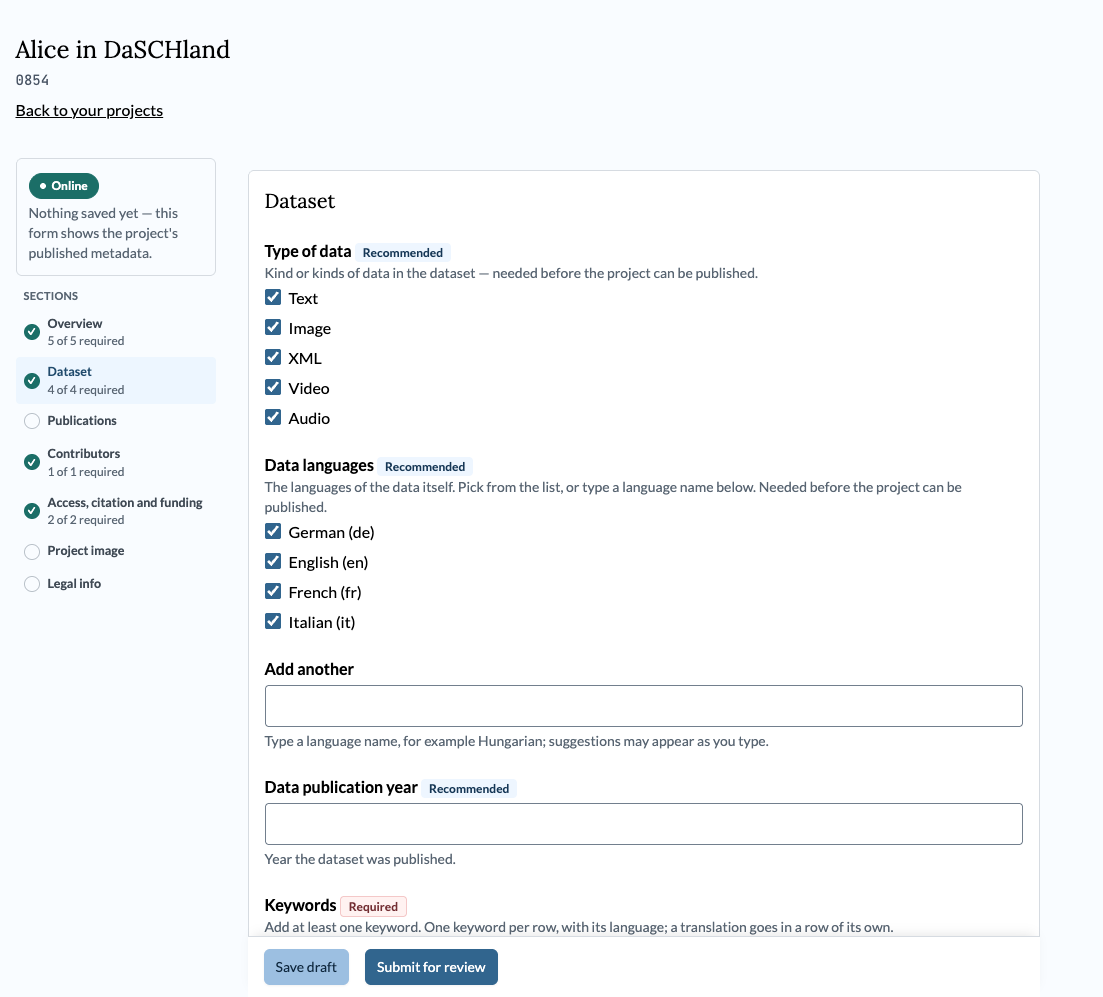
The Dataset section.
| Field | Label | What to enter |
|---|---|---|
| Type of data | Recommended | Text, image, XML, video and/or audio. Needed before the project can be published |
| Data languages | Recommended | The languages of the data itself. Pick from the list or type a language name. Needed before the project can be published |
| Data publication year | Recommended | Year the dataset was published |
| Keywords | Required | At least one. One keyword per row, with its language; a translation goes in a row of its own |
| Disciplines | Required | At least one. Search the SNSF list by name, code or research domain, paste a link from the UNESCO nomenclature, or add your own wording |
| Temporal coverage | Required | The period the data covers. Search for a recognised period (for example Bronze Age), paste a PeriodO or Chronontology link, or add your own term per language |
| Spatial coverage | Required | Search for a place by name, or paste a link from GeoNames, Pleiades or another gazetteer |
| Documentation material | Recommended | Links to documentation, codebooks and guides. Compiled by RDU on your behalf |
| Additional material | Optional | Links to related datasets, mirrors and sister projects |
| Provenance | Recommended | Where the data came from, or how it was produced |
Publications
Optional. Bibliographic references, each with an optional persistent identifier.
Contributors
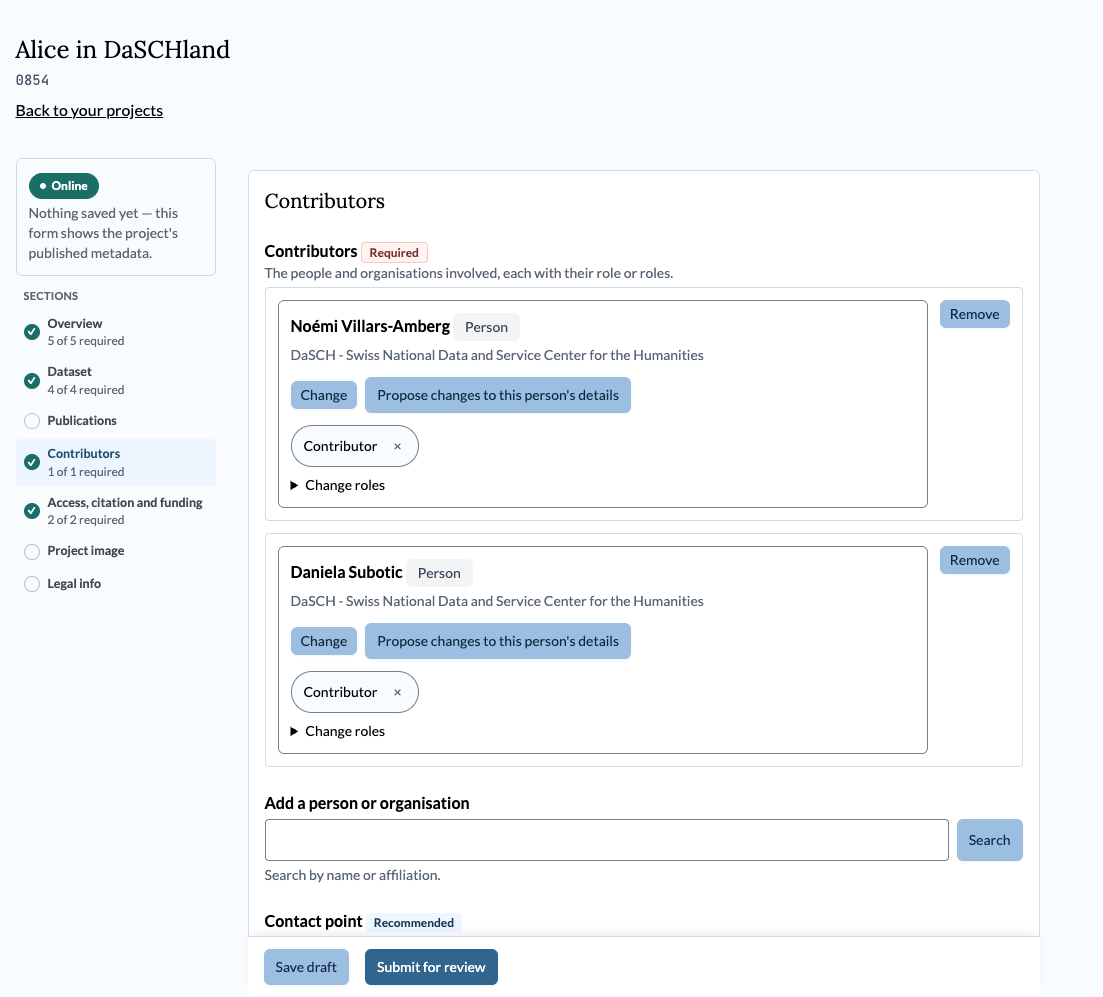
The Contributors section.
| Field | Label | What to enter |
|---|---|---|
| Contributors | Required | The people and organisations involved, each with their role or roles |
| Contact point | Recommended | A person or organisation users should contact about the data. Needed before the project can be published |
To add a person or organisation, search by name or affiliation under Add a person or organisation. Use Change roles to set their roles.
If a person's or organisation's details are wrong, click Propose changes to this person's details.
Access, Citation and Funding
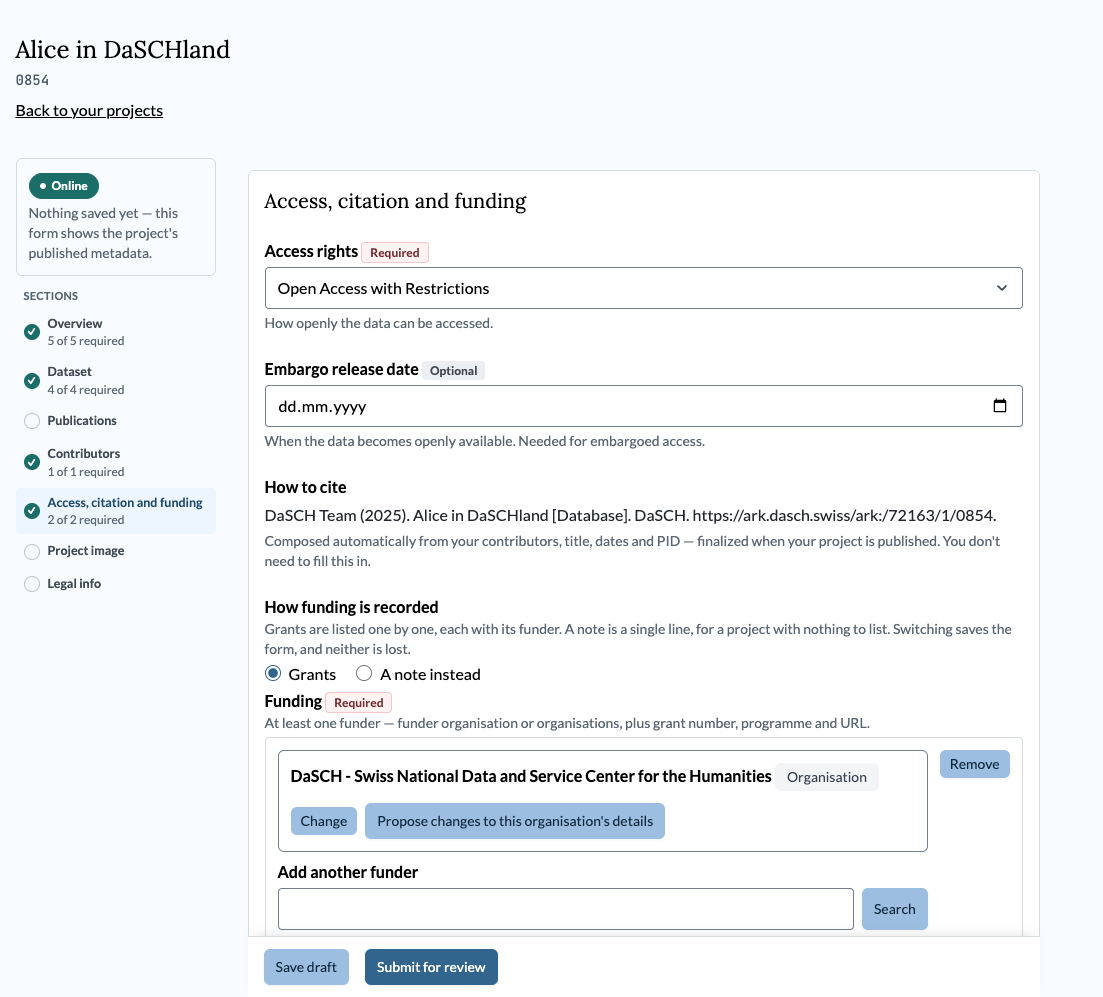
The Access, citation and funding section.
| Field | Label | What to enter |
|---|---|---|
| Access rights | Required | Full Open Access, Open Access with Restrictions, Embargoed Access, or Metadata only Access |
| Embargo release date | Optional | When the data becomes openly available. Needed for embargoed access |
| Funding | Required | At least one funder, with grant number, programme and link. A project with nothing to list can add a note instead |
| Data management plan | Optional | Link to the plan, or "not accessible" if it cannot be shared |
How to cite is composed automatically from your contributors, title, dates and PID. You do not need to fill it in.
See Access Rights for what each access level means.
Project Image
Optional. Project image credit records who the project image belongs to and on what terms it may be shown: at minimum a licence and a copyright holder. The image licence is separate from the dataset licence.
Legal Info

The Legal info section is read-only.
Shows the dataset's licence, copyright holder and authorship. This section is maintained by RDU; you cannot edit it here.
See Copyright & Licenses for background.